

Can a quiet generator be used for powering a computer?
When you’re working on a late-night project, streaming a critical conference presentation, or just winding down with a gaming session, the last thing you want is a loud, rumbling generator drowning out your screen or disturbing the people around you. As a quiet generator supplier, I get this question all the time: Can a quiet generator actually power a computer safely and effectively? The short answer is yes—but there’s more to it than just grabbing any model off the shelf. Let’s break down how quiet generators work, why they’re ideal for computer power, and what to look for to avoid common missteps.
First, let’s talk about the unique needs of a computer’s power system. Unlike a refrigerator or a power tool, computers are sensitive to two key factors: consistent voltage and clean sine wave power. Most standard home generators use an “inverter” design (or lack thereof) that can produce uneven power, leading to fluctuations that damage delicate hardware like motherboards, hard drives, and graphics cards. A quiet generator, by design, is built with features that address both noise and power quality, making it a far better fit for computers than old, loud open-frame models.
What makes a generator “quiet” anyway? Noise levels are measured in decibels (dB), and most traditional open-frame generators run at 70–85 dB—about as loud as a vacuum cleaner or lawnmower. Quiet generators, on the other hand, use sound-dampening enclosures, insulated engine components, and sometimes variable-speed engines that adjust their RPM based on load, cutting noise to 50–65 dB. That’s roughly the volume of a normal conversation or soft music, which means you can run it in a backyard, a campsite, or even a garage without disturbing neighbors or family members.
But noise isn’t the only perk. When paired with a clean sine wave inverter, quiet generators produce power that’s nearly identical to grid electricity. Pure sine wave power eliminates the “dirty” electricity common in cheaper generators, which can cause computers to crash, data to corrupt, or components to overheat. This is especially important for laptops, desktop PCs, and even servers that run 24/7, as the consistent power reduces wear and tear on critical parts.
Now, let’s get specific about sizing. The average desktop computer uses between 300–500 watts of power, while a high-end gaming rig or content creation setup can hit 600–1000 watts. That means you don’t need a massive generator—even a small, quiet model will work. For example, our Small Silent Generator Price models start at around 2kVA (1600 watts), which is more than enough for a standard desktop, monitor, and peripherals like a keyboard or mouse. If you’re powering multiple computers or adding devices like a router or external hard drive, a 5kVA or 10kVA model will give you extra headroom.
For users who need power on the go, like campers or remote workers traveling in an RV, we have the perfect solution: a Silent Generator For Motorhome. These generators are compact enough to fit in an RV’s storage bay, run quietly so you can work or relax outside without disturbing other campers, and produce clean power for your laptop or desktop. We’ve had customers use these for weeks while working remotely from national parks, with zero issues with power interruptions or noise complaints.
Wait a second—what about larger setups? If you’re a small business owner powering a computer-based point-of-sale system, or a content creator with multiple high-end workstations, you might need more power. Our Mikano 20kVA Generator Price models output 16,000 watts, which can power up to 30 desktop computers or a small office’s IT equipment. For even bigger needs, the 200kw Silent Diesel Generator is designed for commercial use, powering entire server rooms or office networks without the loud noise of industrial generators.
But here’s a common mistake people make: not accounting for “startup wattage.” Many devices, including some computers and peripherals, need a burst of extra power when they turn on. A quiet generator rated for “running watts” (the steady power it provides) will list higher “peak watts” for startup, so you’ll want to make sure your generator’s peak rating is at least 1.5 times your computer’s total power needs. For example, if your desktop uses 500 running watts, a generator with 750 peak watts will handle the startup surge without tripping a breaker.
Another thing to consider is fuel type. Most quiet generators for small applications use gasoline, which is easy to find and works well for short-term use. For longer runs—like a backup power supply for a home office—diesel quiet generators are more fuel-efficient and last longer. They also produce lower emissions, which is a bonus for indoor or enclosed spaces.
You might be wondering: can I just use a regular quiet generator or do I need one specifically labeled for electronics? While most modern quiet generators have inverter technology, it’s important to confirm that the model produces pure sine wave power, not modified sine wave. Modified sine wave generators are cheaper but can cause issues with some computers, especially newer models with advanced power management systems. Pure sine wave power ensures your hardware runs smoothly, efficiently, and safely.

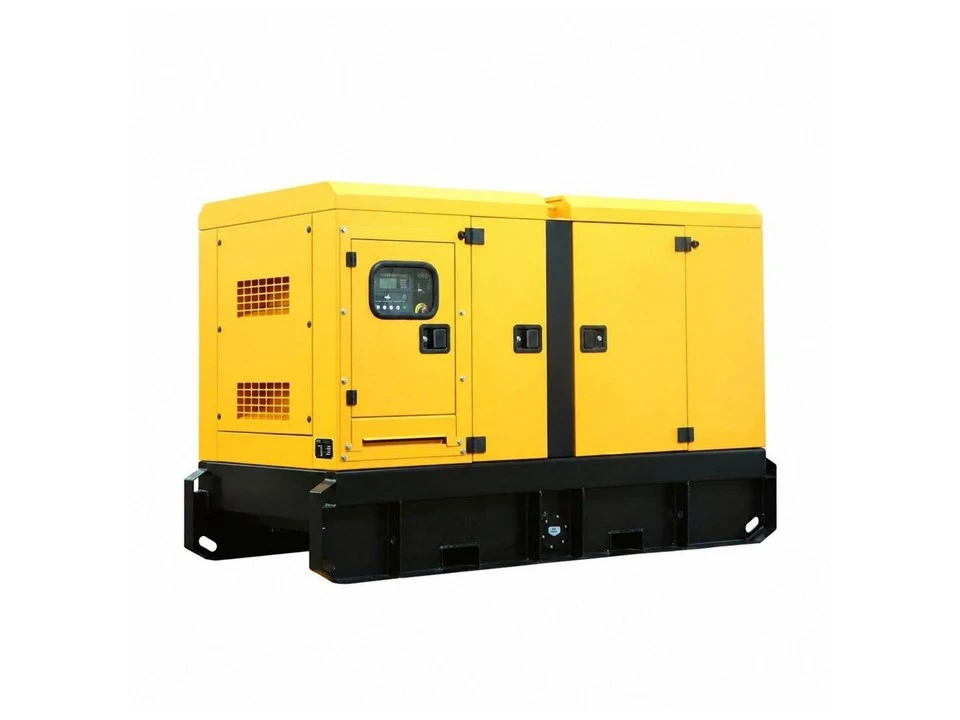
We’ve tested this firsthand with customers who first tried using loud generators for their home offices. One client in a residential area told us their old open-frame generator was so loud, their neighbors complained every time they needed power during a storm. After switching to our Silent Power Generator 180kva (yes, even a larger model can be quiet enough for a neighborhood), they reported no more noise issues—and their computers stopped crashing during power outages, thanks to the clean sine wave power.
So, what about safety? Quiet generators, like all generators, need to be used properly to avoid carbon monoxide poisoning. Never run a generator indoors, in a garage, or in an enclosed space—even if it’s quiet. Always place it outside, at least 20 feet away from doors and windows, with the exhaust pointing away from your home or workspace. Most quiet generators are also built with safety features like automatic shut-off for low oil or overloading, which protects both the generator and your computer.
Let’s address a few common myths:
- Myth: Quiet generators are less powerful than loud ones. Fact: The noise level depends on design, not power capacity. Our 200kW silent diesel generator is as powerful as industrial generators but runs at a noise level of 70 dB, same as a vacuum cleaner.
- Myth: You need a huge generator to power a computer. Fact: As we mentioned, a small 2kVA model is enough for a standard desktop. Even gaming rigs only need 5kVA at most.
- Myth: Quiet generators damage electronics. Fact: Only generators with modified sine wave power cause issues. Pure sine wave quiet generators produce power identical to grid electricity, so they’re safe for all electronics.
If you’re in the market for a quiet generator to power your computer, here’s a quick checklist to follow:
- Calculate your total power needs: Add up the running watts of your computer, monitor, and any peripherals you’ll use.
- Check for peak wattage: Make sure the generator’s peak watts are at least 1.5 times your running watts to handle startup surges.
- Confirm pure sine wave power: Look for “inverter” or “pure sine wave” in the product description.
- Consider your use case: Are you using it at home, in an RV, or for commercial purposes? We have models tailored for every scenario.
- Compare noise levels: Aim for 60 dB or lower if you’re working in a shared space or near neighbors.
At the end of the day, a quiet generator is not just a backup power source for your computer—it’s a tool that lets you work, create, and play without noise, interruptions, or the risk of damaging your hardware. Whether you’re a remote worker needing power during outages, a gamer camping in an RV, or a small business owner looking for a reliable, quiet solution for your office, we have a model that fits your needs.
If you’re ready to find the right quiet generator for your computer power needs, don’t hesitate to reach out for a consultation. Our team can help you choose the perfect size and type, and answer any questions about installation, fuel, and maintenance. We’re here to make sure you have a seamless, quiet power experience every time.
References:
- International Electrotechnical Commission. (2021). Power Quality Requirements for Equipment Connected to Public Power Supply Systems. IEC 61000-3-2.
- U.S. Department of Energy. (2022). Generator Safety and Best Practices. Office of Energy Efficiency & Renewable Energy.
- Consumer Technology Association. (2023). Power Needs for Desktop and Portable Electronic Devices. CTA Research Report.
- National Fire Protection Association. (2022). NFPA 70: National Electrical Code (Chapter 7, Generators).